
Automations
Operations
Digital Strategy
CRM Integration Guide: When It’s Worth It and What to Connect First

Maximiliano Chereza
2 May 2026
8 min read
A practical guide for business owners and ops leads on when CRM integration is worth the effort, what to connect first, and how to avoid messy sync projects.
If your team is copying customer details between systems, checking three places before replying to a lead, or arguing over which report is correct, you do not have a CRM problem alone. You have a systems problem that is now affecting sales, service, and operations.
That is where a CRM becomes worth looking at. Not because integration is inherently sophisticated, but because disconnected tools quietly create expensive friction. For many SMEs, the real cost is not the software subscription. It is the time lost to rework, missed follow-up, duplicate records, and decisions made from partial information.
A common assumption is that a CRM is mainly about getting all your apps to "talk to each other". That is only partly true. In practice, a useful CRM is about making sure the right customer information moves at the right time, in the right direction, for a clear business reason. If you skip that discipline, you can end up with a messy sync project that spreads bad data faster.
What a CRM means when you are running a real business
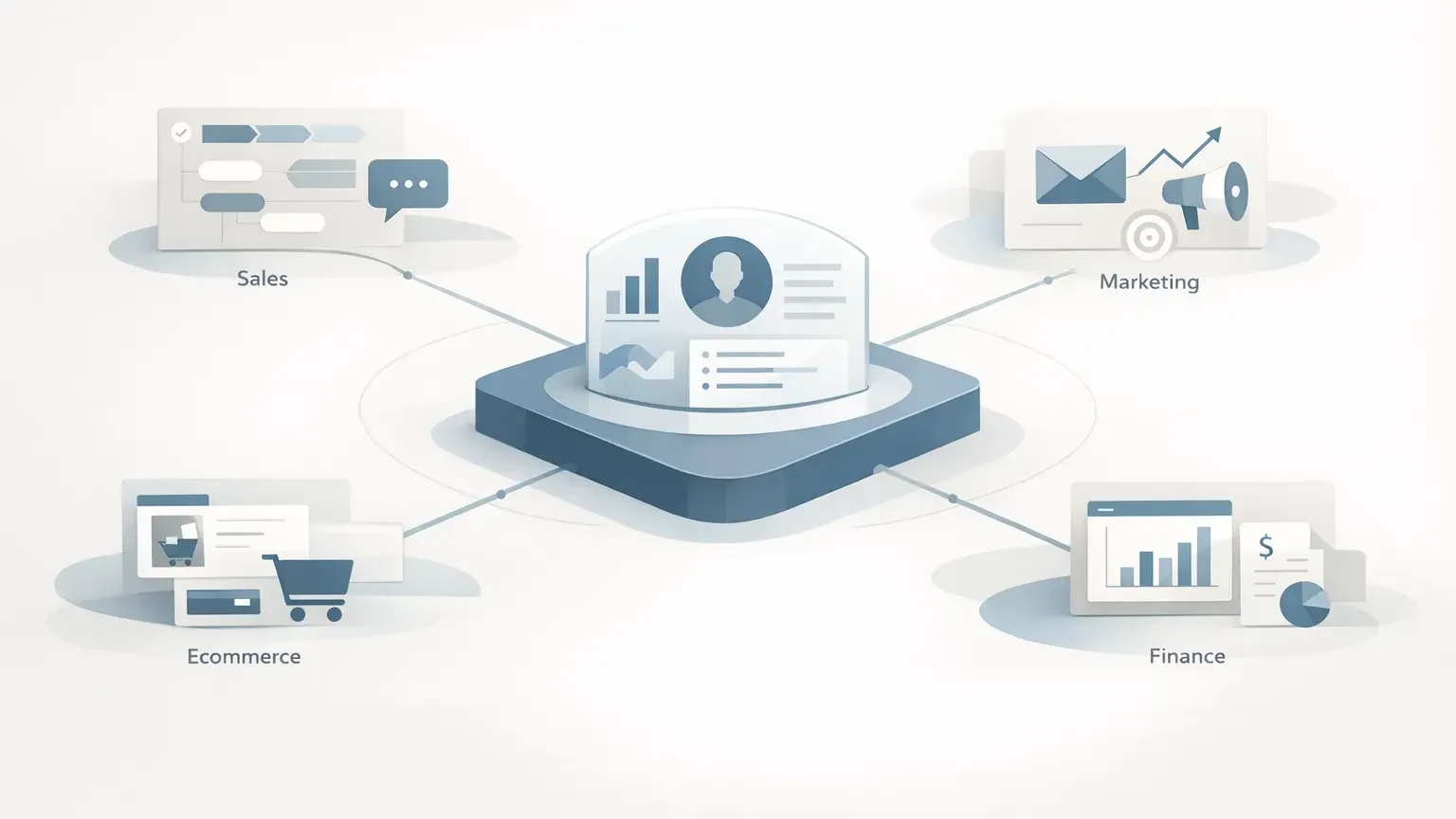
In practical terms, a CRM integration connects your CRM with the other systems that shape the customer journey and the work around it. That might include your website forms, email marketing platform, quoting software, accounting system, ecommerce platform, support desk, or job management tool.
The point is not to connect everything. The point is to eliminate handoffs that cause delays, errors, or blind spots.
For example, if website enquiries currently arrive by email and are manually entered into the CRM a day later, your sales pipeline is already less reliable than it looks. Integrating the form directly with the CRM means leads are created immediately, assigned properly, and tracked from first contact. Before the change, follow-up depended on someone noticing an email and entering details correctly. After the change, response times improve and lead leakage drops. The business effect is usually better lead quality in the pipeline and less admin work for the team.
Another example is e-commerce CRM integration. A business selling online may have customer purchase history sitting in the e-commerce platform, while the sales or support team works from a separate CRM record with little context. When order history, customer value, and key lifecycle events are pushed into the CRM, conversations become more relevant, and retention work gets easier. Before integration, staff often had to switch systems or ask customers to repeat information. After integration, support is faster, upsell timing improves, and customer interactions feel more joined up.
That is why asking what is a CRM integration is less useful than asking which customer and operational decisions are currently slowed down by disconnected systems.
The best systems to connect first are usually the ones closest to revenue or rework
Businesses often start in the wrong place. They choose the integration that sounds most impressive, not the one causing the most friction.
A better starting point is to look for systems where manual handling is frequent, mistakes are costly, and timing matters. For most SMEs, the first integrations worth considering are:
- website forms and lead sources into the CRM
- email marketing and campaign data
- quoting, invoicing, or accounting systems
- e-commerce platforms
- customer support or service tools
There is a pattern here. These are not just popular systems. They are the systems where poor handoffs tend to affect revenue, service quality, or reporting confidence.
If leads are coming in from multiple channels, connect those first so the CRM becomes a reliable source of truth for pipeline activity. If finance and sales are constantly reconciling customer status manually, connecting invoicing or accounting data may matter more than any other marketing tool. If repeat purchases drive growth, e-commerce CRMs may deserve priority because they improve segmentation, service context, and retention.
The non-obvious part is this: the best first integration is often the one that reduces internal disagreement. When teams stop debating whether a customer is active, whether a quote was accepted, or whether a lead was followed up on, execution gets faster. Integration is not just about data flow. It is about reducing operational ambiguity.
If you are still working out where integrated systems fit more broadly, it helps to step back and look at how your tools support the business as a whole. Our guide to integrated systems and why they matter covers that wider picture.
Signs your business is actually ready for a CRM
Not every business needs integration work immediately. Sometimes the real issue is that the process itself is unclear, and connecting tools too early simply automates confusion.
You are usually ready when the workflow is stable enough to define, but manual enough to be slowing the team down.
That often shows up in a few practical ways. Sales staff are re-entering contact details from forms or emails. Marketing cannot trust CRM lifecycle stages. Finance has customer information that sales cannot see. E-commerce orders are not included in the main customer record. Reporting takes manual cleanup before anyone believes it. None of these problems is dramatic on its own, but together they create drag.
There is also a scale signal. Once the volume of leads, orders, or customer interactions rises beyond what one person can keep tidy manually, integration becomes less of a nice-to-have and more of a control measure.
What matters here is process maturity. If your team cannot agree on when a lead becomes an opportunity, what counts as a customer, or which system owns key fields, pause before integrating. A sync will not solve that. It will just replicate inconsistency faster.
This is where many projects go wrong. People assume the technical connection is the hard part. Usually, it is not. The harder part is deciding what should happen, when, and which system to trust for each piece of data.
If that sounds familiar, it may be worth reviewing your workflows first. Our article on spotting a good first automation use case is a useful next step.
The benefits of a CRM are real, but only when the data rules are clear
The benefits of a CRM are easy to oversell in theory. In practice, the gains come from a smaller set of outcomes: cleaner handoffs, faster response times, less duplicate work, and better visibility across the customer lifecycle.
Those benefits are commercially meaningful. Better lead routing can improve conversion because enquiries are followed up on while intent is still high. Shared customer data can reduce support volume because staff do not need to ask for information that the business already has. Cleaner records can improve campaign targeting and reduce wasted spend. More reliable reporting can help owners make decisions without waiting for someone to stitch together spreadsheets.
But there is a catch. Integration amplifies whatever data discipline already exists. If your CRM is full of duplicates, inconsistent field use, and outdated records, connecting more systems can make the mess harder to unwind.
Dirty data usually enters through ordinary behaviour, not dramatic failure. One form captures full names in a single field, another splits first and last names. Sales enters company names one way, finance another. A customer uses a personal email in one system and a work email in another. Then a sync attempts to match records, creating duplicates or overwriting useful information.
This is why field mapping, ownership rules, and sync direction matter so much. Some data should flow in only one direction. Some should update only when certain conditions are met. Some should not sync at all. A good integration design is selective. A bad one treats more data movement as automatically better.
That is also why businesses dealing with ageing platforms or patchy records often need a cleanup before integration. If your current setup is already creating workarounds, start there. Our guide on how to fix outdated systems explains why replacing friction is often more valuable than layering on more tools.
Should you buy an off-the-shelf CRM or build a custom one?
This decision is usually less about budget alone and more about process fit.
Off-the-shelf CRMs are often the right first move when your workflow is fairly standard, and the systems already have mature connectors. They are faster to deploy, easier to support, and usually cheaper upfront. For common use cases like form capture, basic lead sync, or standard ecommerce events, buying a proven connector is often sensible.
Custom integration becomes more attractive when your process is specific enough that a generic connector creates awkward compromises. That might be because you need conditional logic, multi-step workflows, unusual field mapping, or coordination across several systems rather than a simple one-to-one sync.
A useful rule of thumb is this: if your team is changing the business process to suit the connector, the connector may be the wrong answer.
Maximiliano Chereza
That said, custom work is not automatically better. It introduces maintenance responsibility, testing requirements, and more design decisions. For SMEs, the risk is building something technically clever that nobody owns properly six months later.
The best choice depends on the cost of compromise. If an off-the-shelf option covers 80 to 90 per cent of the need without creating manual cleanup, it is often the better commercial decision. If the missing 10 per cent affects lead handling, invoicing accuracy, or customer experience in a meaningful way, custom work may be justified.
A good CRM integration project starts with scope, not software
If you are considering a CRM, start by mapping where customer data enters the business, where it gets changed, and where delays or duplication occur. That exercise usually reveals whether you need a simple connection, a broader workflow redesign, or some cleanup before any integration work begins.
The goal is not to create a perfectly connected stack. It is to make the business easier to run and easier for customers to deal with.
For most SMEs, the right first step is a scoped review of the current setup: which systems matter, which records can be trusted, what should sync, and what should stay separate. That is how you avoid turning a sensible integration into an expensive data tidy-up project.
If your sales, marketing, finance, or ecommerce tools are no longer lining up cleanly, now is a good time to properly assess the stack. A focused review can show whether a CRM is worth it, what to connect first, and where the real risks sit before any build starts.
Let's talk